URL Parameters vs Query Strings in Express.js
In the world of web development, understanding how data travels through a URL is a fundamental skill. If you've ever looked at a browser address bar and seen a string of symbols and IDs, you’ve seen URL parameters and query strings in action.
While they look similar, they serve distinct purposes in how an application retrieves and displays data. Let’s break down the differences and look at how to handle them in a Node.js/Express environment.
1. What are URL Parameters?
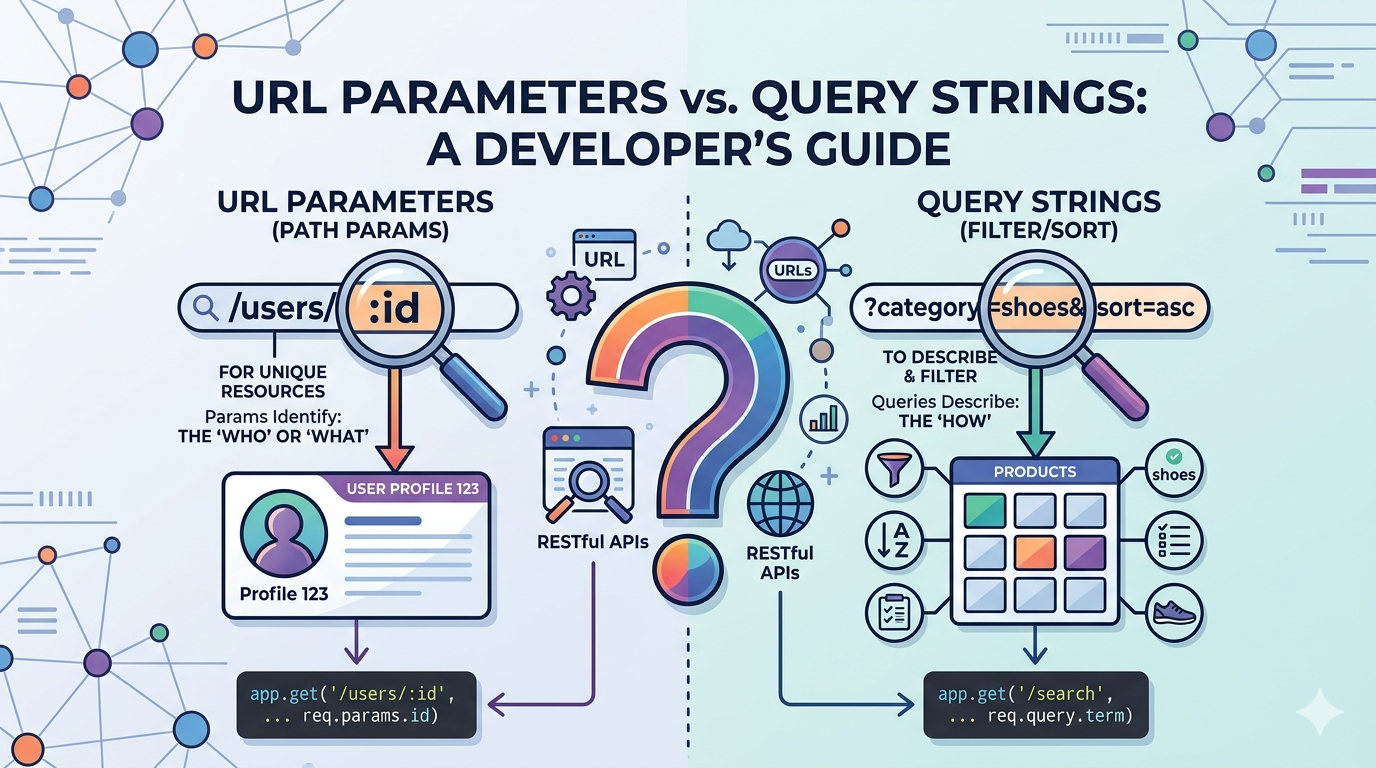
URL Parameters (often called "Path Parameters" or "Route Params") are parts of the URL path itself. They act as identifiers used to point to a specific resource.
Think of them as placeholders in your route definition. In Express, these are denoted by a colon (:).
Example URL:
[https://api.com/users/123](https://api.com/users/123)The Parameter:
123represents a specific user ID.
2. What are Query Parameters?
Query Parameters (or Query Strings) are extensions of the URL used to sort, filter, or modify the data being requested. They appear after a question mark (?) and do not change the actual path of the route.
Example URL:
[https://api.com/products?category=shoes&sort=asc](https://api.com/products?category=shoes&sort=asc)The Query:
category=shoesandsort=asctell the server to narrow down the results.
3. Key Differences: Params vs. Query
The easiest way to remember the difference is: Params identify, Queries describe.
| Feature | URL Parameters | Query Parameters |
|---|---|---|
| Location | Part of the URL path | After the ? symbol |
| Purpose | To identify a specific resource | To filter or sort a list of resources |
| Requirement | Usually required for the route to match | Almost always optional |
| Structure | /users/:id |
?key=value |
4. Implementation in Express.js
Express makes it incredibly easy to grab these values using the req (request) object.
Accessing URL Parameters
To capture a parameter, you define the variable name in your route with a colon. Express populates these in req.params.
// Route: /users/42
app.get('/users/:id', (req, res) => {
    const userId = req.params.id;
    res.send(`Fetching profile for user: ${userId}`);
});
Accessing Query Strings
You don’t need to define query strings in your route path. Express automatically parses them into the req.query object.
// Route: /search?term=javascript&limit=10
app.get('/search', (req, res) => {
    const searchTerm = req.query.term;
    const limit = req.query.limit;
    res.send(`Searching for \({searchTerm}, showing \){limit} results.`);
});
5. When to use which?
Use URL Parameters when:
You are fetching a unique resource (e.g., a specific user, a specific blog post).
The data is essential for the page to exist. Without
/users/123, the "User Profile" page has no context.Example:
GET /posts/:slug
Use Query Strings when:
You are filtering a collection (e.g., searching for "blue" shirts).
You are sorting or paginating (e.g.,
?page=2&sort=desc).The parameters are optional. The page will still load a list of products even if no filters are applied.
Example:
GET /shop?color=red&size=large
Summary
Understanding the distinction between these two ensures your API is intuitive and follows RESTful best practices. Use Params to locate the "who" or "what," and use Queries to determine "how" that data should be presented.