State Management: Context API, Prop Drilling, React.memo, useMemo, and useCallback
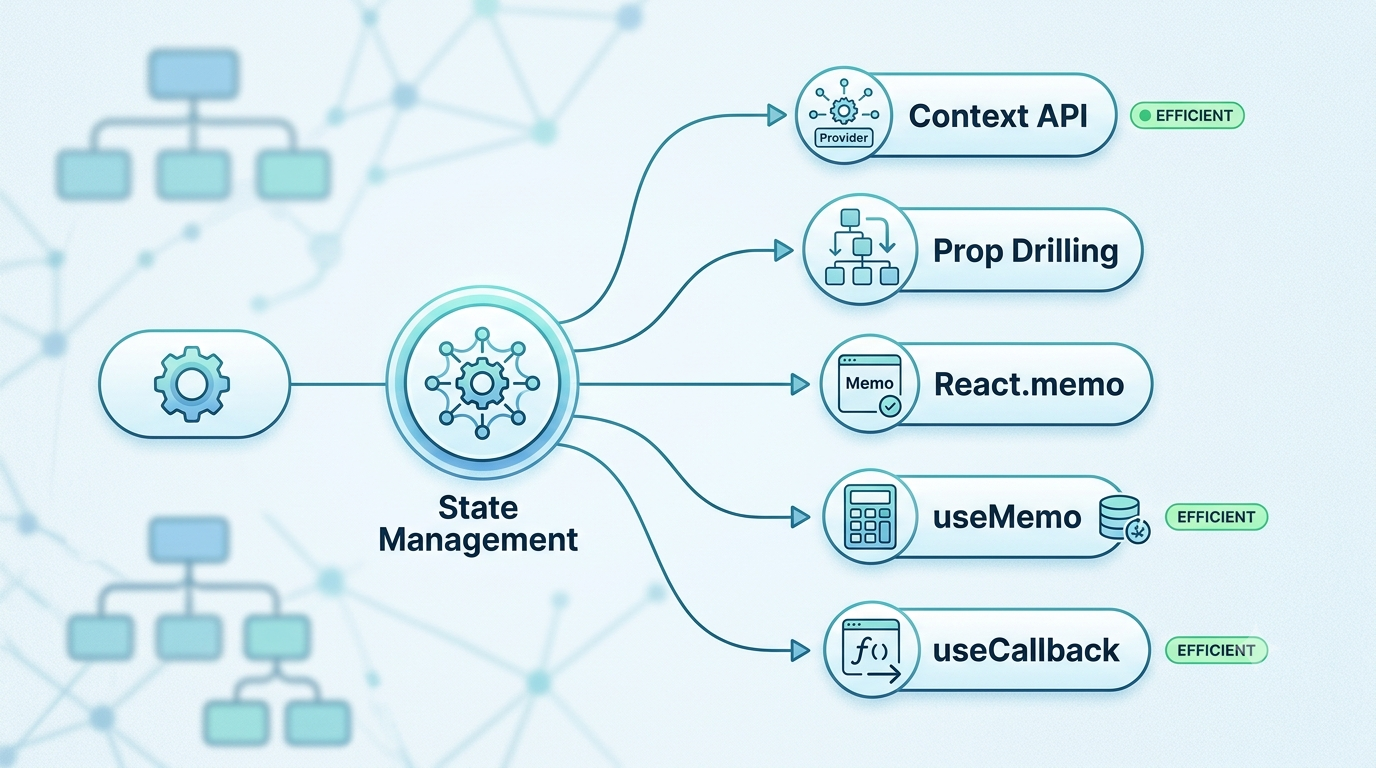
Why does managing state become difficult as applications grow?
In small React apps, passing props feels natural. But as component trees grow, state management quickly becomes a tangled web of prop drilling, unexpected re-renders, and UI sluggishness. Most React performance issues aren't framework flaws—they stem from architectural choices around state placement and render cycles.
1. Why State Management Becomes Difficult
As your application expands, managing state becomes complex due to several factors:
Growing Component Trees: Deeply nested UI components make tracking state lineage difficult.
Data Sharing: Multiple distant components (like a user avatar in the header and a profile page) often need access to the exact same data.
Repeated State Passing: Intermediate components are forced to accept and forward props they don't even use.
Performance Concerns: Triggering a state change at the top of the tree forces a cascade of re-renders all the way down.
2. Understanding Prop Drilling
Prop drilling occurs when data is passed through multiple layers of components solely to reach a deeply nested child that actually requires it.
Why It Happens and Why It Hurts
When state lives high in the component tree (e.g., inside App), any descendant needing that state forces every component in between to act as a data relay.
Maintainability Nightmares: Renaming or restructuring a prop requires editing every middleman component.
Brittle Architecture: Modifying component hierarchies breaks data delivery to child nodes.
Tight Coupling: Intermediate components become artificially dependent on data structures they don't consume.
3. The Context API: Direct Data Access
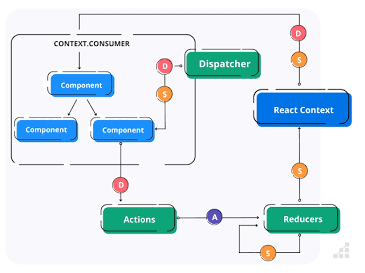
React introduced the Context API to eliminate prop drilling by allowing data to be broadcast to any component within a subtree without passing props explicitly.
Core Concepts
createContext(): Creates the context object.Provider: Wraps a component tree and accepts avalueprop to share with descendants.useContext()Hook: Consumes the value directly inside any descendant component.
// 1. Create Context
const ThemeContext = React.createContext();

// 2. Provider Component
function App() {
  const [theme, setTheme] = useState('dark');
  return (
    <ThemeContext.Provider value={{ theme, setTheme }}>
      <Dashboard />
    </ThemeContext.Provider>
  );
}

// 3. Deeply Nested Consumer
function ThemeToggle() {
  const { theme, setTheme } = useContext(ThemeContext);
  return (
    <button onClick={() => setTheme(theme === 'dark' ? 'light' : 'dark')}>
      Current Theme: {theme}
    </button>
  );
}
4. When Context API Works Best
Context API excels at broad, low-frequency state updates.
Authentication State: User session details, roles, and login tokens.
Theme Management: Switching between Dark Mode and Light Mode.
User Preferences: Locale, language, or currency settings.
Global App Settings: Layout toggles or feature flags across small-to-medium applications.
5. Understanding React Re-renders
Before attempting performance optimizations, you must understand how React renders components.
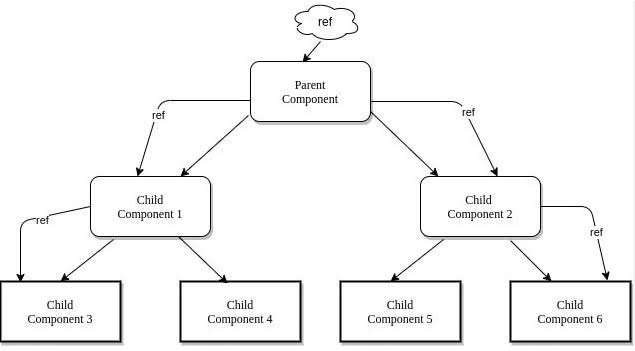
Key Rendering Rules
State Changes Trigger Re-renders: Changing a component's state schedules a render for that component.
Parent Updates Cascade: By default, when a parent component re-renders, all of its children re-render automatically, regardless of whether their props changed.
Unnecessary Re-renders: When a child component re-computes its JSX without any actual change in visual output or underlying props, system resources are wasted.
6. Component Memoization with React.memo
React.memo is a Higher-Order Component (HOC) that skips rendering a component if its props haven't changed since the last render.
How It Works
React.memo performs a shallow comparison of incoming props against previous props.
const UserProfile = React.memo(function UserProfile({ name, email }) {
  console.log('Rendering UserProfile');
  return <div>{name} ({email})</div>;
});
When it helps: Expensive render trees, large lists, or components that render frequently with unchanged props.
When it hurts: Wrapping small, simple components adds unnecessary shallow-comparison overhead that costs more than the render itself.
7. Calculations with useMemo
useMemo caches (memoizes) the result of an expensive calculation between renders.
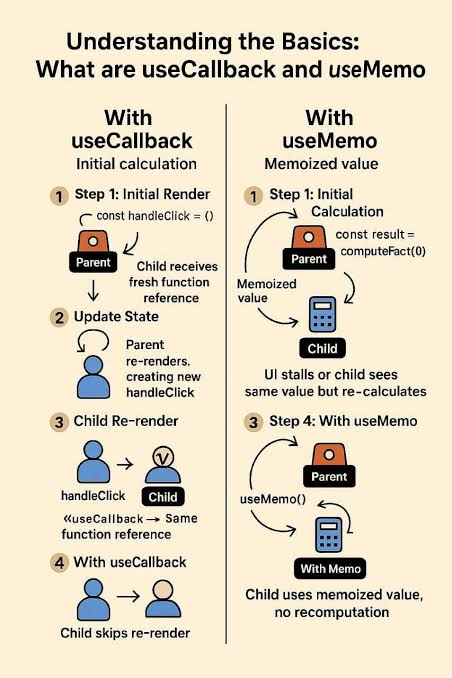
const memoizedValue = useMemo(() => computeExpensiveValue(a, b), [a, b]);
Real-World Example: Filtering Large Lists
function AnalyticsDashboard({ transactions, filterTerm }) {
  // Only re-runs when `transactions` or `filterTerm` changes
  const filteredData = useMemo(() => {
    return transactions.filter(item => item.name.includes(filterTerm));
  }, [transactions, filterTerm]);

  return <TransactionList items={filteredData} />;
}
8. Preserving Function References with useCallback
In JavaScript, functions are objects: () => {} !== () => {}. Every time a parent renders, inline functions are re-created with new memory references. This breaks React.memo on child components receiving function props!
useCallback caches the function instance itself between renders.
useCallback vs useMemo
| Hook | What it Caches | Primary Use Case |
|---|---|---|
useMemo |
The result of calling a function | Skipping expensive computations |
useCallback |
The function instance itself | Preventing child re-renders via stable prop references |
function ParentComponent() {
  const [count, setCount] = useState(0);

  // Keeps the exact same function reference unless dependencies change
  const handleClick = useCallback(() => {
    console.log('Button clicked');
  }, []);

  return <MemoizedChildButton onClick={handleClick} />;
}
9. Choosing the Right Optimization Strategy
Avoid premature optimization! Reach for specific tools only when identifying actual bottlenecks:
           Is data needed across distant components?
                          /        \
                        YES         NO
                        /            \
               Use Context API     Keep state local
                                      /        \
               Experiencing slow UI performance?
                             /         \
                           YES          NO
                           /             \
       Identify the Bottleneck         Do Nothing
        /         |         \
   Heavy Render  Heavy Math  Prop Ref Changes
      /           |           \
React.memo     useMemo     useCallback
10. Building Scalable Architecture
Lift State Right: Keep state as close to where it is used as possible.
Use Composition over Context: Passing
childrendirectly often solves prop drilling without Context API overhead.Separate Contexts: Split fast-changing state from slow-changing state into separate Context Providers.
Profile Before Optimizing: Rely on React DevTools Profiler to find real bottlenecks before adding
React.memo,useMemo, oruseCallback.