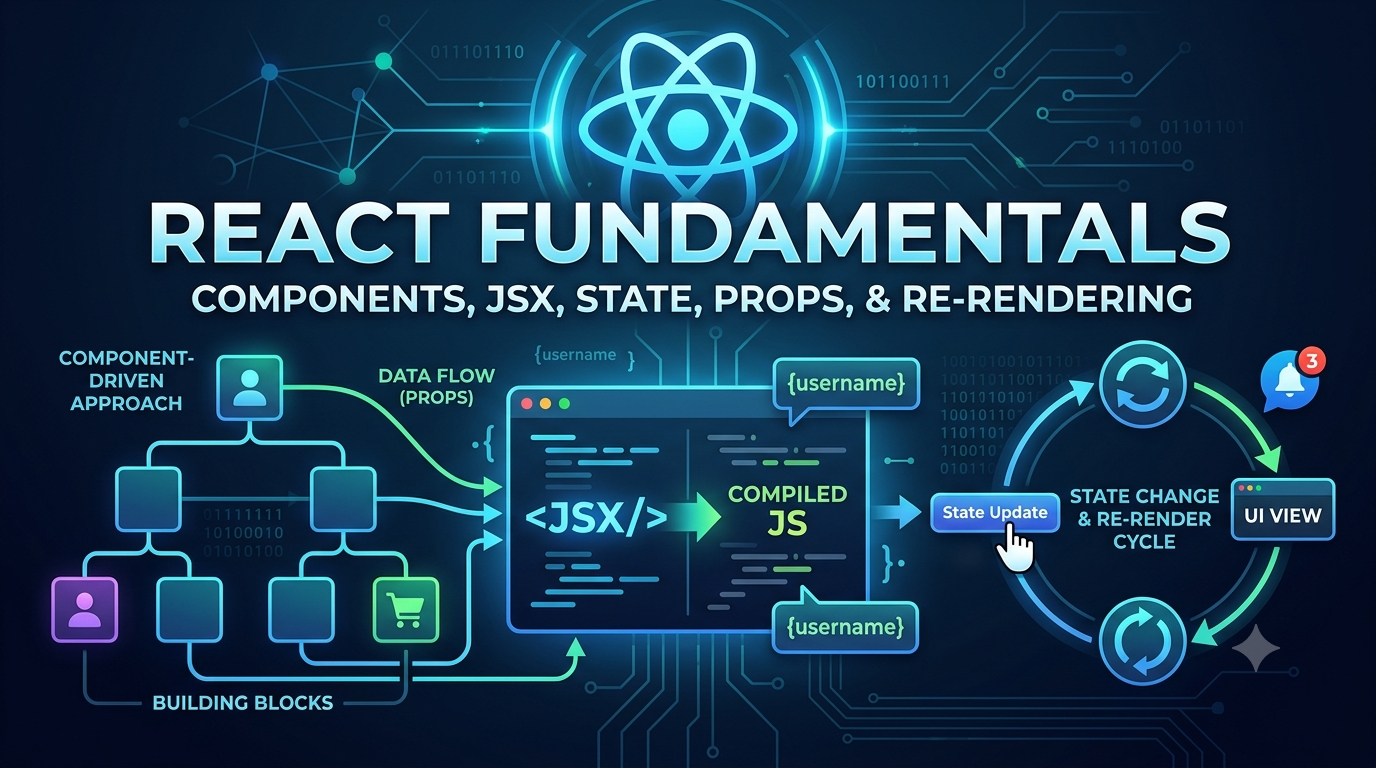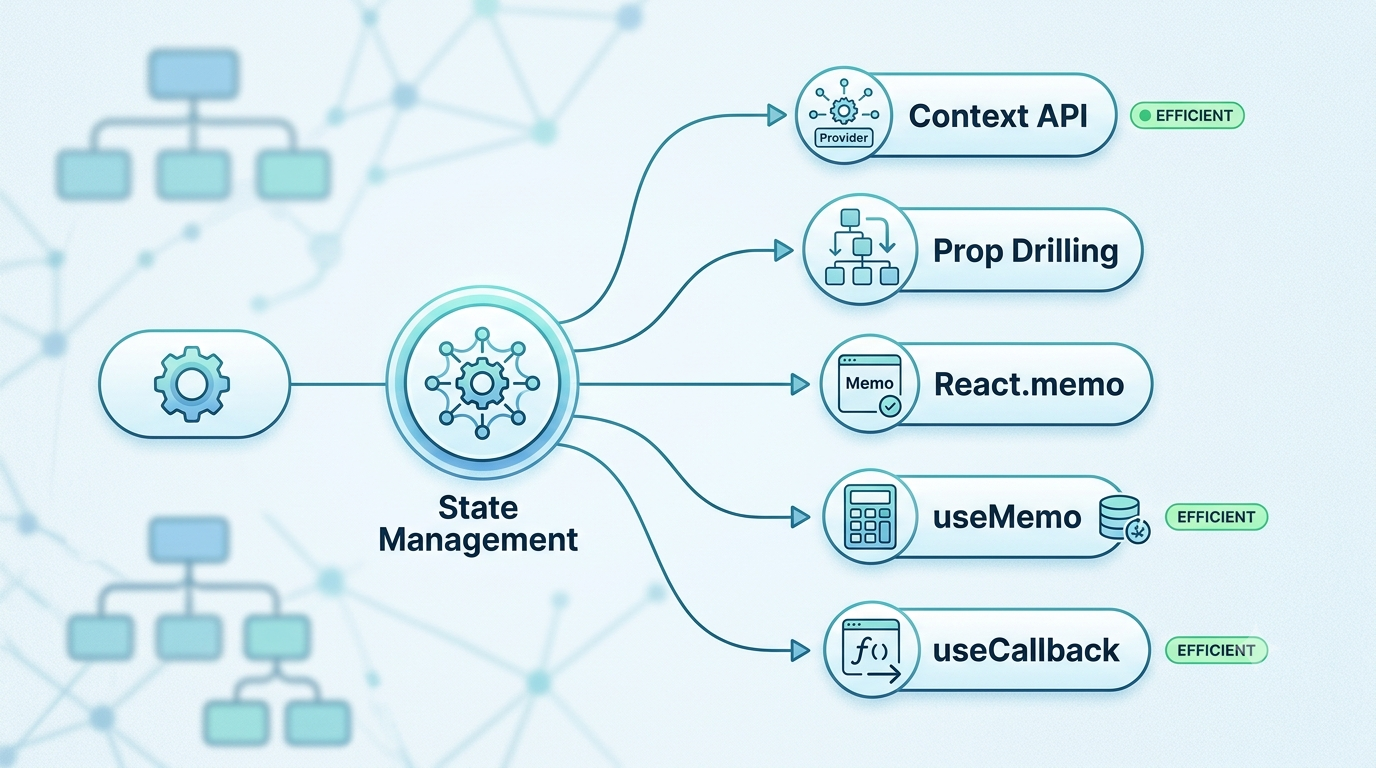
Next.js Explained: Why It Became the Default React Framework
A deep dive into the architectural evolution from React SPAs to full-stack, server-first modern web development.
The Fundamental Question
"If React is so popular, why was Next.js created?"
React revolutionized front-end development when Meta released it in 2013. It introduced a component-based model, declarative UI state management, and a virtual DOM that made building rich, interactive user interfaces significantly more manageable. React quickly became the dominant UI library on the web.
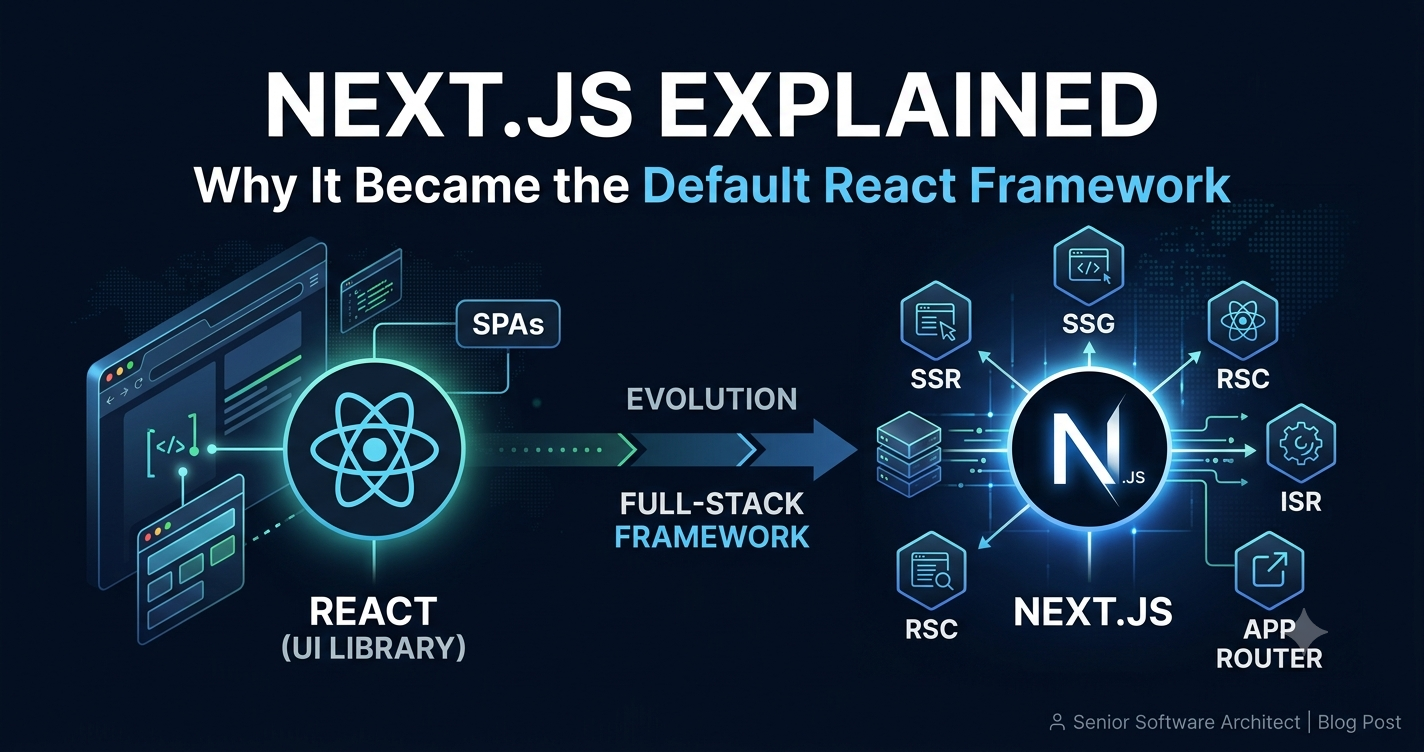
However, as engineering teams began using React to build full-scale, production-grade applications, they encountered a structural reality: React is a UI library, not a web application framework. Out of the box, React only manages the view layer (the "V" in MVC). It provides no opinionated answer on routing, server integration, data fetching mechanisms, search engine optimization (SEO), asset optimization, or bundling strategy.
Next.js was created by Vercel (formerly Zeit) to solve this exact gap—taking React's component model and surrounding it with a production-ready infrastructure layer.
1. Why Next.js Exists: The Challenges of React-Only SPAs
To understand Next.js, we must first look at the architectural limitations of early Single Page Applications (SPAs) built with plain React (typically via create-react-app ).
Client-Side Rendering (CSR) Limitations
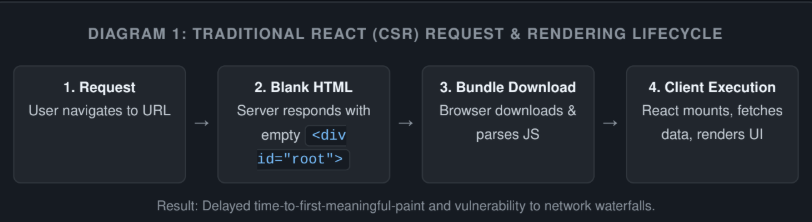
Traditional React applications rely on Client-Side Rendering (CSR). When a user requests a React SPA, the server responds with a virtually empty HTML shell containing a minimal body tag and a JavaScript script reference:
<div id="root"></div>
<script src="/bundle.js"></script>
The browser must download the entire JavaScript bundle, parse it, execute it, construct the DOM, and finally initiate secondary network calls to fetch dynamic data. Until this entire chain finishes, the user sees a blank white screen or a generic loader.
SEO & Indexability Concerns
Because the initial HTML returned by the server contains zero actual content, web crawlers (such as search engine bots or social media preview scrapers) historically struggled to index React SPAs. While modern search engines have improved their JavaScript execution capabilities, parsing JS is asynchronous and resource-heavy, often resulting in indexing delays or complete omissions. Open Graph previews (Twitter cards, LinkedIn link previews) completely fail because their scrapers do not execute client-side JS at all.
Performance & Network Waterfalls
In a classic React application, component rendering and data fetching are tightly coupled in the browser. A common pattern—fetching data inside useEffect —creates severe network waterfalls:
Browser fetches HTML (200ms)
Browser downloads JavaScript bundle (500ms)
React renders parent component, triggers useEffect to fetch User Profile (300ms)
Profile arrives, renders child component, which triggers its useEffect to fetch Dashboard Feeds (400ms)
This sequential waterfall leads to poor Core Web Vitals, specifically high Largest Contentful Paint (LCP) and noticeable Layout Shifts (CLS).
2. React vs Next.js: Library vs. Framework
The distinction between React and Next.js is fundamentally about scope and architectural responsibility.
Dimension | React (Library) | Next.js (Framework) |
Primary Focus | UI view layer & component state | Full-stack application framework |
Rendering Location | Client-side (Browser) by default | Hybrid: Server (SSR, SSG, ISR) & Client |
Routing | Requires 3rd-party library (React Router) | Built-in file-based routing system |
Data Fetching | Client-side hooks ( | Server Components, direct async fetch, caching |
Asset Optimization | Manual configuration (Webpack/Vite) | Built-in Image, Font, and Script optimization |
Production Setup | Requires custom setup for SSR/Builds | Zero-config production-ready build system |
What React Provides: Component model, local state (
useState,useReducer), lifecycle primitives, Virtual DOM reconciliation, and context.What Next.js Adds: Server-side rendering, hybrid builds, file-system routing, API routes, automatic code splitting per route, automated image and font optimization, built-in bundling/compilation (Rust-based SWC/Turbopack), and middleware.
3. Understanding Rendering Strategies
One of Next.js’s core achievements is decoupling web application rendering from a single model. Instead of forcing everything into Client-Side Rendering, Next.js provides a hybrid rendering engine.
1. Client-Side Rendering (CSR)
Renders UI in the browser via JavaScript. Useful for private, user-specific dashboards behind authentication where SEO is irrelevant and interaction frequency is high.
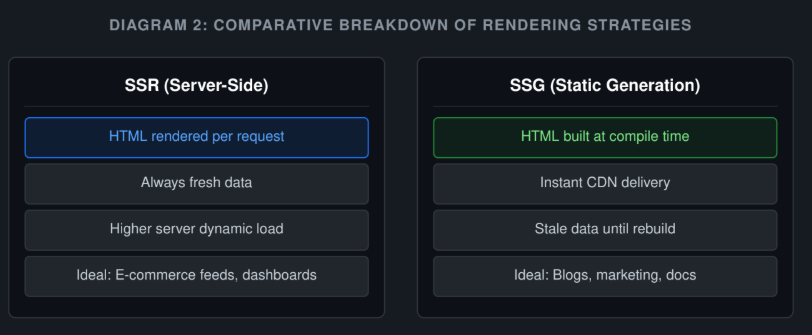
2. Server-Side Rendering (SSR)
The server generates full HTML for every incoming HTTP request. Data is fetched on the server before sending the response.
Pros: Guaranteed fresh data, full SEO indexability, immediate initial visual content.
Cons: Slower Time-to-First-Byte (TTFB) compared to static CDN assets because the server must execute logic per request.
3. Static Site Generation (SSG)
HTML pages are compiled at build time during deployment. The resulting static files are cached on a global Content Delivery Network (CDN).
Pros: Ultra-fast response times (sub-50ms TTFB), near-zero infrastructure cost, high reliability.
Cons: Updating content requires a complete application rebuild and redeployment.
4. Incremental Static Regeneration (ISR)
ISR bridges SSG and SSR. It allows developers to update static pages in the background without rebuilding the entire website.
How ISR Works in Practice:
A user requests a blog post. Next.js serves the cached static page from the CDN instantly. If the configured revalidation window (e.g., 60 seconds) has passed, Next.js serves the stale page while asynchronously triggering a background build for that specific route. Once generated, the CDN cache is updated transparently for subsequent requests.
4. File-Based Routing
In classic React apps, developers must configure routing manually using external libraries like React Router, setting up path strings, route guards, and component mapping files.
Next.js replaced this paradigm with File-Based Routing. The structure of your physical file directory directly defines the public URL routes of your web application.
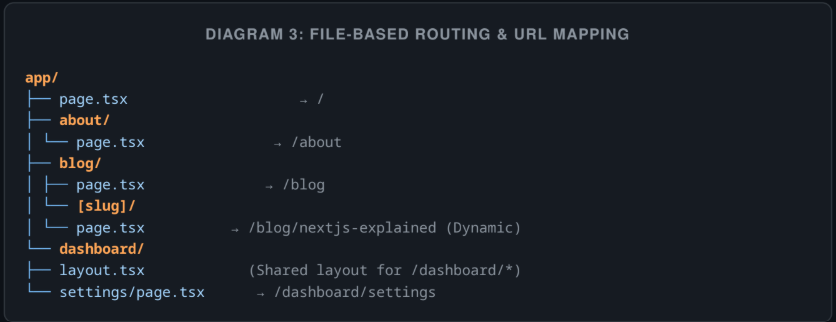
This file-system convention completely eliminates boilerplate routing code, centralizes app architecture, and makes navigation dynamic and deterministic.
5. Layouts and Application Structure
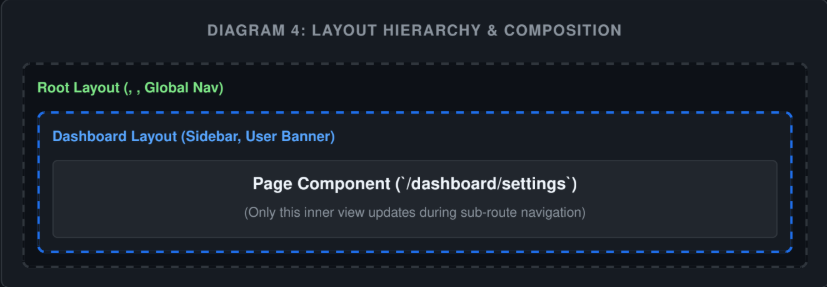
A persistent problem in traditional SPAs was managing persistent UI state across page transitions—such as sidebars, headers, or audio players. Re-rendering shared components on route changes wasted client processing time and reset local component state.
Next.js introduced native Layouts. A layout wraps a subtree of pages, preserving state, keeping child elements interactive, and preventing unnecessary re-renders when navigating between nested routes.
6. The App Router Architecture
Next.js originally shipped with the Pages Router (/pages). While successful, it reached limits regarding granular data fetching, component nesting, and complex layout orchestration.
In Next.js 13+, Vercel released the App Router (/app), built directly on top of React 18's primitive features (Suspense, Concurrent Features, and React Server Components).
Streaming Architecture: Instead of waiting for the entire server rendering process to complete, the server streams HTML parts to the client as they become ready.
Granular Loading States: Built-in support for
loading.tsxallows developers to wrap routes in instant loading skeletons powered by React Suspense automatically.Error Boundaries: Route-level error handling via
error.tsxisolates failures without crashing the rest of the UI.
7. Server Components vs. Client Components
The paradigm shift brought by React Server Components (RSC) within the App Router represents the biggest change to React development in a decade.
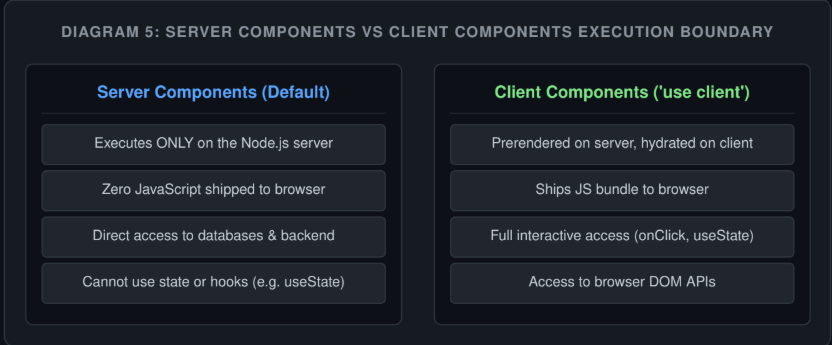
In Next.js App Router, all components inside the app directory are Server Components by default. If a component requires client-side interactivity, state, or event listeners, developers explicitly opt-in by adding the 'use client' directive at the top of the file.
This hybrid architecture dramatically reduces the amount of JavaScript sent to the end user, keeping performance consistently fast regardless of application scale.
8. Modern Data Fetching Model
Traditional React data fetching relied on hooks fetching data after the page rendered:
Browser -> Render Component -> Trigger useEffect -> Fetch API -> Set State -> Re-render Component
Next.js moves data fetching directly into the component declaration on the server using standard JavaScript
async/await:
// app/users/page.tsx (Server Component)
export default async function UsersPage() {
  const users = await db.users.findMany(); // Direct DB Access!
  return <ul>{users.map(u => <li key={u.id}>{u.name}</li>)}</ul>;
}
This pattern eliminates client-side network waterfalls, secures API keys and secrets within the server boundary, and reduces client computational overhead.
9. Performance Benefits & Core Web Vitals
Next.js provides built-in automated performance optimizations that would take months to set up manually:
Image Optimization (
next/image): Automatically converts images to modern formats (AVIF, WebP), resizes dynamically per user viewport, and prevents Cumulative Layout Shift (CLS).Font Optimization (
next/font): Inlines font CSS at build time and downloads Google Fonts locally, eliminating external network roundtrips.Automatic Code Splitting: Each page bundle only includes the exact JS dependencies required for that route, avoiding massive monolithic JS bundles.
10. When to Use Next.js vs. Pure React
Use Case | Recommended Choice | Primary Reason | |
Public E-Commerce / SaaS Marketing | Next.js | Needs fast LCP, strict SEO, dynamic product pages, and ISR. | |
Content Sites & Blogs | Next.js | SSG/ISR provides instant loading via global CDNs. | |
Internal Dashboards / Tools | React (Vite) | Protected behind auth, no SEO needs, purely interactive state. | |
Embedded Widgets / Plugins | React (Vite) | Requires lightweight single bundle embedded in external sites. |
11. The Future of React Development
Next.js has become the default React framework because it aligned directly with the evolution of the React core library itself. React is no longer just a browser runtime library—it has evolved into a full-stack, server-driven UI architecture.
By providing an ecosystem where engineering teams can build scalable, performant, and SEO-friendly applications out of the box without fighting build tools or manually organizing complex server-side hydration setups, Next.js solidified its position as the industry standard for production web applications.