Understanding Control Flow in JavaScript
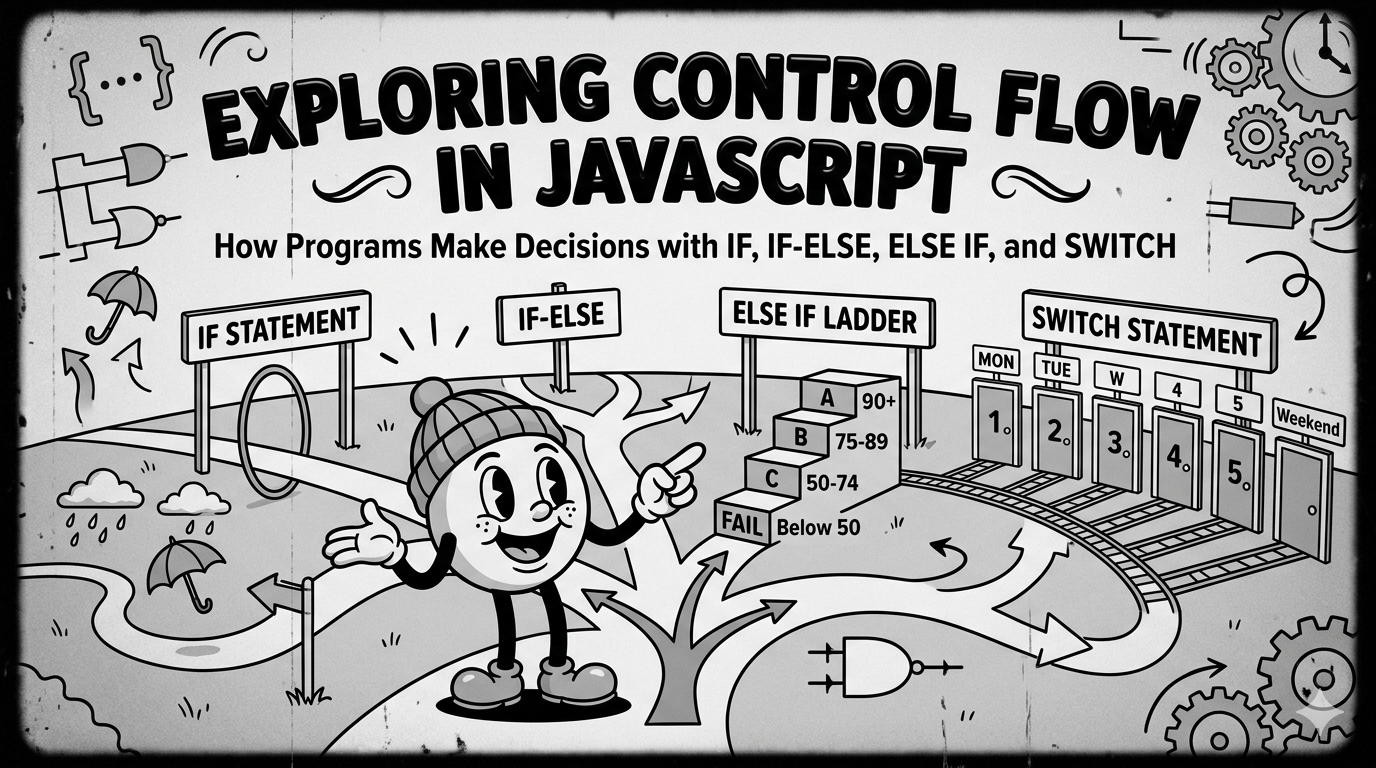
Every day we make decisions.
If it’s raining, we carry an umbrella. If we’re hungry, we eat. If the traffic is heavy, we take another route.
Programming works in a similar way. Programs often need to make decisions and choose different paths based on conditions. This is where control flow comes into play.
In this article, we’ll explore how JavaScript controls the flow of a program using:
ifstatementsif-elsestatementselse ifladdersswitchstatements
Along the way, we’ll look at simple real-world examples to understand how these decision structures work.
What Control Flow Means in Programming
Control flow refers to the order in which a program executes instructions.
By default, JavaScript runs code from top to bottom.
console.log("Start");
console.log("Learning JavaScript from ChaiCode");
console.log("End");
Output:
Start
Learning JavaScript from ChaiCode
End
But sometimes programs need to decide what to do next based on a condition. For example:
If a user is 18 or older, allow signup.
If a student’s marks are above 40, they pass.
If today is Sunday, show a holiday message.
Control flow statements allow programs to make these decisions.
The if Statement
The if statement is the most basic decision-making structure in programming. It runs a block of code only when a condition is true.
Imagine a website that allows users to create an account only if they are 18 or older.
let age = 20;

if (age >= 18) {
  console.log("You can create an account");
}
Output:
You can create an account
If the condition is false, JavaScript simply skips the block.
The if-else Statement
Sometimes a program must choose between two different outcomes.
Consider an exam result system.
If marks are 40 or above, the student passes. Otherwise, the student fails.
let marks = 35;

if (marks >= 40) {
  console.log("You passed the exam");
} else {
  console.log("You failed the exam");
}
Output:
You failed the exam
Step-by-Step Flow
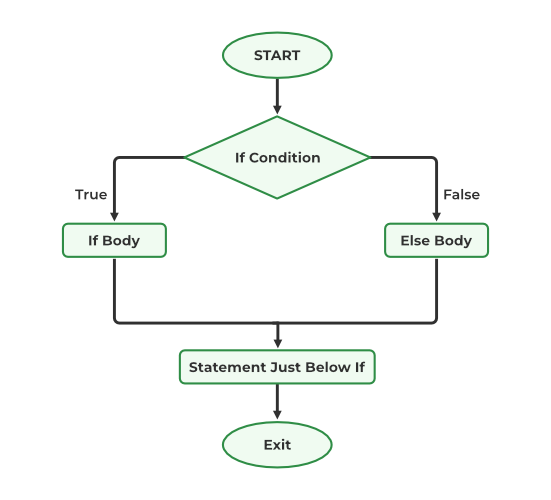
Here, the program always runs one of the two blocks.
The else if Ladder
In real applications, there are often more than two possible outcomes.
For example, a grading system might classify marks into multiple categories:
90+ → Grade A
75–89 → Grade B
50–74 → Grade C
Below 50 → Fail
let marks = 82;

if (marks >= 90) {
  console.log("Grade A");
} else if (marks >= 75) {
  console.log("Grade B");
} else if (marks >= 50) {
  console.log("Grade C");
} else {
  console.log("Fail");
}
Output:
Grade B
Execution Flow
JavaScript checks conditions from top to bottom:
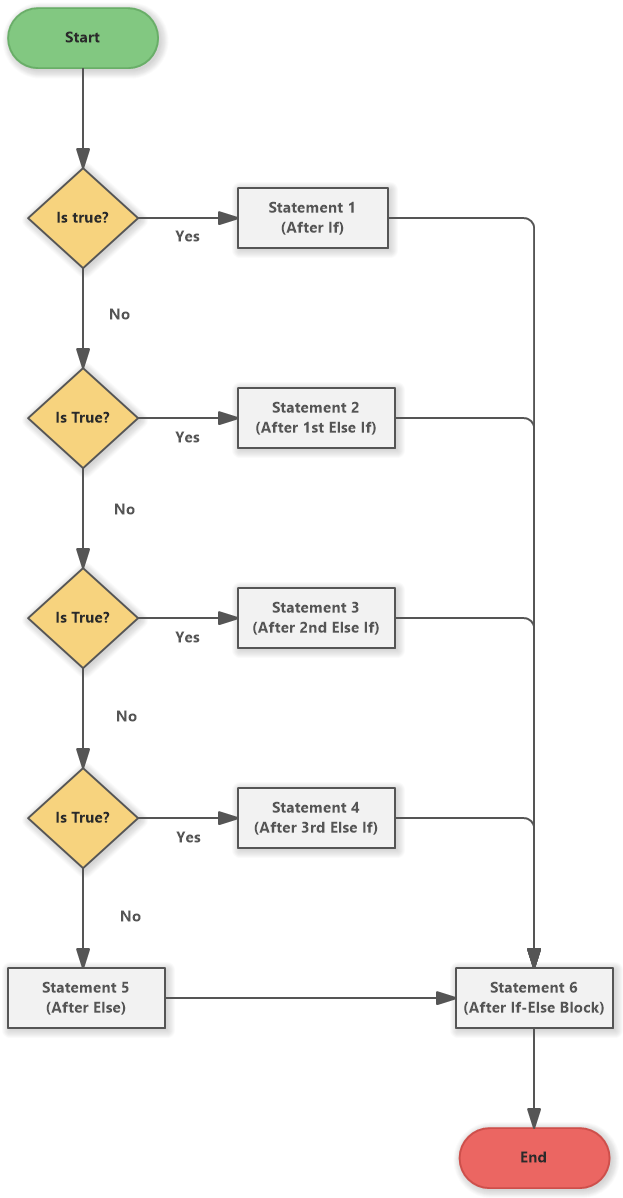
Once a condition is true, the remaining conditions are skipped.
The switch Statement
Sometimes programs need to check one variable against many fixed values. In such cases, the switch statement can be more readable than multiple if-else statements.
Imagine building a feature that prints the day of the week.
let day = 3;

switch (day) {
  case 1:
    console.log("Monday");
    break;

  case 2:
    console.log("Tuesday");
    break;

  case 3:
    console.log("Wednesday");
    break;

  case 4:
    console.log("Thursday");
    break;

  case 5:
    console.log("Friday");
    break;

  default:
    console.log("Weekend");
}
Output:
Wednesday
Why break Is Important in switch
Inside a switch statement, the break keyword stops execution after a match is found.
Without break, JavaScript would continue executing the next cases.
Example without break:
let day = 2;

switch (day) {
  case 2:
    console.log("Tuesday");

  case 3:
    console.log("Wednesday");
}
Output:
Tuesday
Wednesday
Because there was no break, execution continued into the next case.
When to Use switch vs if-else
Both structures can solve similar problems, but each works best in different situations.
| Use Case | Recommended Structure |
|---|---|
| Checking ranges or complex conditions | if-else |
| Comparing a variable to many fixed values | switch |
Logical comparisons (>, <, >=) |
if-else |
| Menu selections or fixed options | switch |